The End for Me

So I have decided that this has been the worse experience of my life. I literally wanted to just cry while doing this assignment. I have been trying to do the simplest of things. Like creating a terrain, a cube, and just adding animation, to make a simple game. But noooooo, I had to deal with my computer shutting down many times, it heating up and glitching, as well as having to delete so many things off of my mac in order for this to work. While doing this assignment, my computer has dramatically slowed down, for anything that I do, it takes a very long time to load. All because of this app or download called unity. I was going to give up, but I have always turned in an assignment for this class, no matter how difficult it was. I have no knowledge of coding or anything more than creating a powerpoint or essay, when it comes to computers. This class was on a whole other level for me. I thought I was doing pretty great, until this came to the picture, well this and that app creator.

After my whole dramaticness rant above, I think it’s time I go into how and what I was able to do. I’m trying to upload videos right now, but through youtube it takes 40 minutes and through vimeo 20, so I don’t know what I’m going to do with my life right now. Anyways, you might ask why I waited until the last day to do this. And to answer your question, I tried doing this before and got really frustrated because my computer kept shutting down and heating up, and I was worried it was going to explode, this was very expensive. Second, I gave up so I wasn’t planning on doing it, but was encouraged to at the last minute. Now lets start with what went wrong when putting in the work. I couldn’t do play mode, the most important part. Everytime I restarted the whole process to see why and what I did wrong, and it was because of me downloading the standard assets. Errors would pop up and scripts would be unable to use, a whole bunch of things. But because of them and me not knowing how to solve these errors, I wasn’t to actually play my game.

Creating a Solution

Above are some different versions of my toothbrush holder that I created. While creating it I started of simple, creating a sketch of a rectangle. However, after extruding it, I was confronted with my first problem: dividing the inside of the rectangle. I thought I could simply make a sketch on top of the face that was going to make hollow, and just divide the face, but when it came to shelling it, it would only let me choose the whole face, not just the part that I divided. I tried creating a separate rectangle sketch on the face, but it still wouldn’t let me shell that rectangle either. So, I started all over and decided to do two separate rectangles, one smaller than the other. I had to do a little bit of math here because I had to get both parts to equal the total length I wanted, and some of the measurements had to be equal. Once I created the separate rectangle sketches, I was able to extrude them and shell both of them. I had two bodies, but I wanted to only have one with the divided section. So, all I had to do was get the bodies close to each as if they were connected, align them, and make sure the height and width were the same. Once I did those things, I combined them. When I did that, I noticed it was pretty simple, so I decided to add a bit of extra things to make it look decorated. For this, I kept making rectangle sketches around the rim of the object, as well as at the bottom, and extrude them. As you can see at the bottom of this paragraph, I had many sketches.

Once I rendered it, I noticed it was missing something, an actual toothbrush. Now I know I couldn’t get the actual texture of the toothbrush, but I could have at least made an attempt at at something that will look like it. On the bottom are some pictures of my toothbrush holder and my toothbrush. I added a bit of customization by putting my face on the object as well.

Now this picture is my 3D model actually being put into use. I used photoshop to make it look like it was actually placed where it was suppose to be.

Above are all the measurements for my toothbrush holder. Every width, length, and height is in mm in the pictures above, height being 111mm, total width being 75.9mm and length being 147.04mm. Other measurements are also above for the extra add ons and the insides.

measurements in real life place

Fusion 360: Trial and error

Doing the flask in Fusion 360 was much easier than doing it on TinkerCad. There were less steps involved and it was more defined. I didn’t have much complications with this one.

The bowler took a while for me to finally get, there were many mistakes, and I had to start over like 5 times because I didn’t what I did or how I got to one point. However, it was much more efficient than Tinkercad, as things came out much smoother and nicer. There’s a lot more tools to fix every detail.

Above are some complications that I went through. The first picture shows me trying to download the black cloth material, but Fusion 360 wouldn’t let me. If I wanted to download anything I had to restart my computer and download Fusion 360 again. The second picture, I was trying to figure out how to do the ring around the hat and had to use a picture/canvas. Last picture is how it officially came out and how much it helped.

When You’re Cheap

So for this assignment my problem is the fact that my mom has no place to put the toothbrushes and toothpaste and it makes the whole area pretty messy. It’s also pretty unsanitary since the part that goes in our mouth is touching another surface that already has germs. Besides that, water pools in that area, so my mom has to constantly clean it. We recently moved here and my mom has not bought a toothbrush holder because first all the things don’t fit and second because she doesn’t want to waste money on it. So I thought making a big toothbrush holder that also matches with the colors in the bathroom will be perfect solution for this. I feel like it would be pretty simple and as well save us money and a trip.

FreeCAD: Most annoying software

This was the first object we had to do for FreeCAD. I was able to fully finish it due to the step by step instructions that were provided. When doing this part, I felt confident in the assignment, since all I had to do was follow instructions.

The above FreeCAD pictures show object 2. For this assignment I based my object on the example that our professor showed, just that I changed the measurements and altered the object to do more than just hold the computer charge in place. I also made it into a container where you can put office supplies in, snacks, or even small trash. The only problem I ran into while doing this object was the fact that I don’t have a desk back home, so I had to use the dinner glass table, which is pretty thin compared to my actual desk back in Tallahassee.

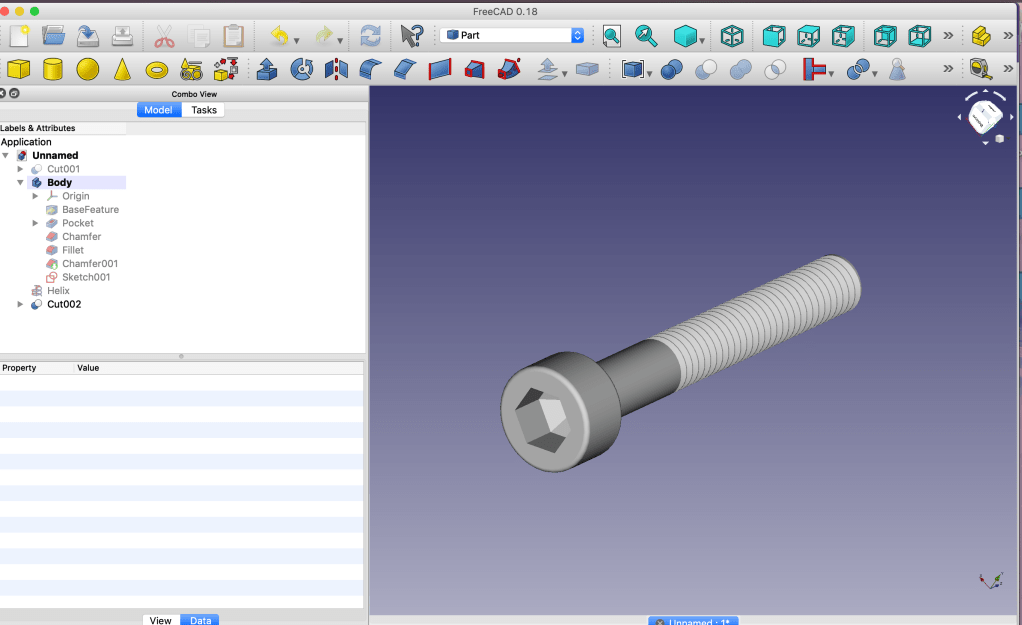
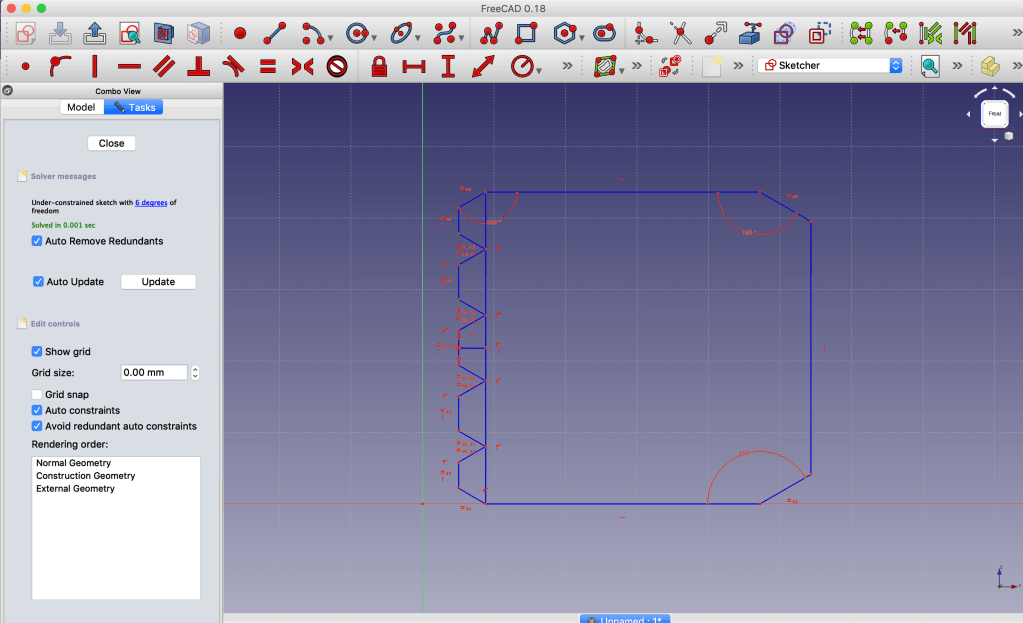
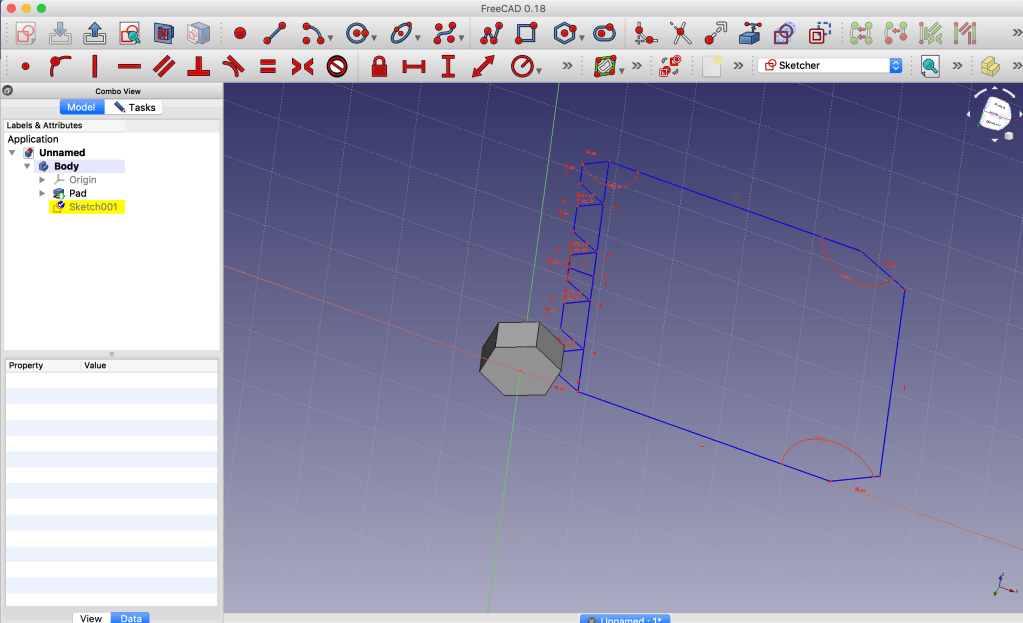
This was supposed to be object 3 for the FreeCAD assignment. I wanted to do a screw and then a screw-in bolt in which the screw can go in, however there were some complications. The screw I was able to do perfectly fine, with the help of a youtube tutorial, which I will post the link of below, but the screw-in bolt was where everything went downhill. I kept trying to do as the tutorial told me, I even started over many times in case I missed a step, however the same problem would occur. First came with the measurement constraint, which will mess up the whole shape when it was a major decrease, so I had to do it one by one. The second problem was trying to make the smaller, or at least lower it, it wouldn’t allow to do it. I even tried changing the measurements by using the constraints, but it will just mess everything up. I tried my very best, but it just became so frustrating and I didn’t where the problem was coming from, especially that i was doing everything exactly as the video.

Links: https://youtu.be/BobzR7ciTRw

https://youtu.be/Y5b1FUEfAFw

TinkerCad: I really did that!

Doing 3D modeling was something that I thought would be really simple and would consist of less work, but boy was I wrong. This assignment started out with easy shapes and objects and turned into something that required more of an architect thinking and focus. I had to think out of the box, literally, when creating these objects. However, I was able to efficiently do all of them and I got a hang of the app, Tinkercad. Below are all the objects I had to do and the outcome. The one that took the longest for me was the floppy disk, it was the object that I had the most difficulty with, but also the one where I learned the most from TinkerCad.

Teamwork on Nyctophobia

The first time the group was suppose to meet up in order to start the process of the app, however I was sick. That same day they were able to fill me in everything that happened by adding my number to a group chat with everyone in the team. The google document filled with notes was also shared to me, so I can better understand what went down during class.

Based on what I interpreted on the notes, the name of the app, nyctophobia, was decided. In which flashes of pictures would pop up as well as a flash of light, based on how many times the button was pressed. Besides the pictures, videos are also incorporated in the app. Most of the blocks have been made and the different screens as well.

When testing the app, there were some complications with the emulator. We were able to work out the first screen on the emulator, but we’re still trying to figure out the other ones. We tried to see if anyone had a friend with an android, but no one did. So the light flashes and vibration have not been tested. However, I feel like we have made some progress.

First Time With App Inventor

Creating an app was something that I never imagined myself doing. However, entering into a class based on technology, it was bound to happen. Due to this being all new to me, I was very confused on where I had to go for this to occur and what obstacles I would face. The first obstacle was the fact that I have all of my products from apple, meaning they don’t work with most of the other softwares. iPhones don’t allow other apps that are not from the app store to be downloaded, so I had to use my computer to download an android emulator in order to test out the app.

The emulator was the hardest part from the whole assignment. When creating the app, it was pretty self explanatory, everything is laid out for you and all you have to do is be creative. However, when downloading the emulator, issues came up on my MacBook. Such as the possibility of bugs, viruses, and security problems. I was able to get past these obstacles by testing things out and the emulator was downloaded. At first, the app that I created wouldn’t download unto the emulator, it would stop at 20% of completion and then a pop up would appear talking about errors and bugs. However, after I updated the android phone, the results changes.

The app was finally able to work on the phone. The app considered of a tiger making a roaring noise when the button was pressed, and having the tiger’s roaring face appear by itself when the sound came on.

Introducing Me

This is how I appear at first to people.

Hey guys!! So my name full name is Joyse Ashley Rojas Santana, and yes I’m Hispanic, which you can tell by my last names. My first two names just shows how bad my parents wanted to be white, I don’t even know what was going through their minds. So I was born in Dominican Republic and moved here to Florida when I was only 5 years old, practically 6 because I left literally before my birthday. I have spent most of my life living in South Florida and the rest traveling to D.R. to visit my family. Besides my ethnic background making me who I am, my upbringing was filled with fights, laughter, and getting in trouble. Mostly due to having two younger siblings, a sister thats 3 years younger than me and a brother thats 13 years younger than me. As I have grown up, my focus has been my education, I was and am a nerd and I’m very proud of it since it got me to where I am now. I was one of those kids that was involved in many school activities, had either AP classes or honors classes, seen as the perfect straight A’s student. But, omg, I would do everything last minute, I would skip my classes all the time, and trick guys to buy me food. I remember driving a golf cart in the hallway while skipping class with my friends and even pretending to cry to get out of an after school club.

Then my crazy personality peaks through the cracks.

Now that I’m in college, I have been able to grow more into the new responsibilities I have. Being a freshman in Florida State University, in a new environment and what might as well be a different state, has opened me up to many opportunities and adventures. I have already made so many embarrassing memories and it has only been one semester. Lets just say I have peed outside too many times. Doing these crazy embarrassing things, just shows that I am a person that loves to try new things and just goes with the flow. Which is literally my approach to technology. I start clicking random things to see what they do and what it can lead me too. The only way to find or do something that you want is by acting on it and explore what is infront of you. This is how I figure out everything with the new tech that I encounter. Forget reading all these instructions or tours, they’re never enough because the possibilities are endless.

AND NOW SHES OUTTTT
Create your own website, free on WordPress.com.Create your own website.
Start free